For restaurants with more tourists than time
Menulta turns your printed menu into a QR menu in 30 languages.
Photograph the menu you already print. We transcribe it, translate it, and polish every dish photo to your own room and light. Live in an afternoon.
- No typing your menu
- No app for diners
- Your photos, never stock
How it works
Three steps, all on your phone
From printed menu to live QR menu in one afternoon, without typing a single dish.
- 1
Photograph your printed menus
Food, drinks and desserts. We read the prices, sections and dish names straight off the paper.
- 2
Snap each dish once
One phone photo per dish. We correct the light and set it on a table that matches your room.
- 3
Print the QR and serve
Publish once. Every diner sees the menu in their phone's language, no app and no login.
See it for yourself
The same plate. Only the light and the table changed.
On the left, the photo a waiter takes in thirty seconds under kitchen lights. On the right, what your guests see on the menu. Every tomato, olive and crumble of feta is exactly where it was: Menulta corrects exposure, white balance and background, and never touches the food.
- Lighting, white balance and shadows corrected
- Cluttered table replaced by your chosen ambience
- Food, portion and plate left untouched
- The original photo is always kept
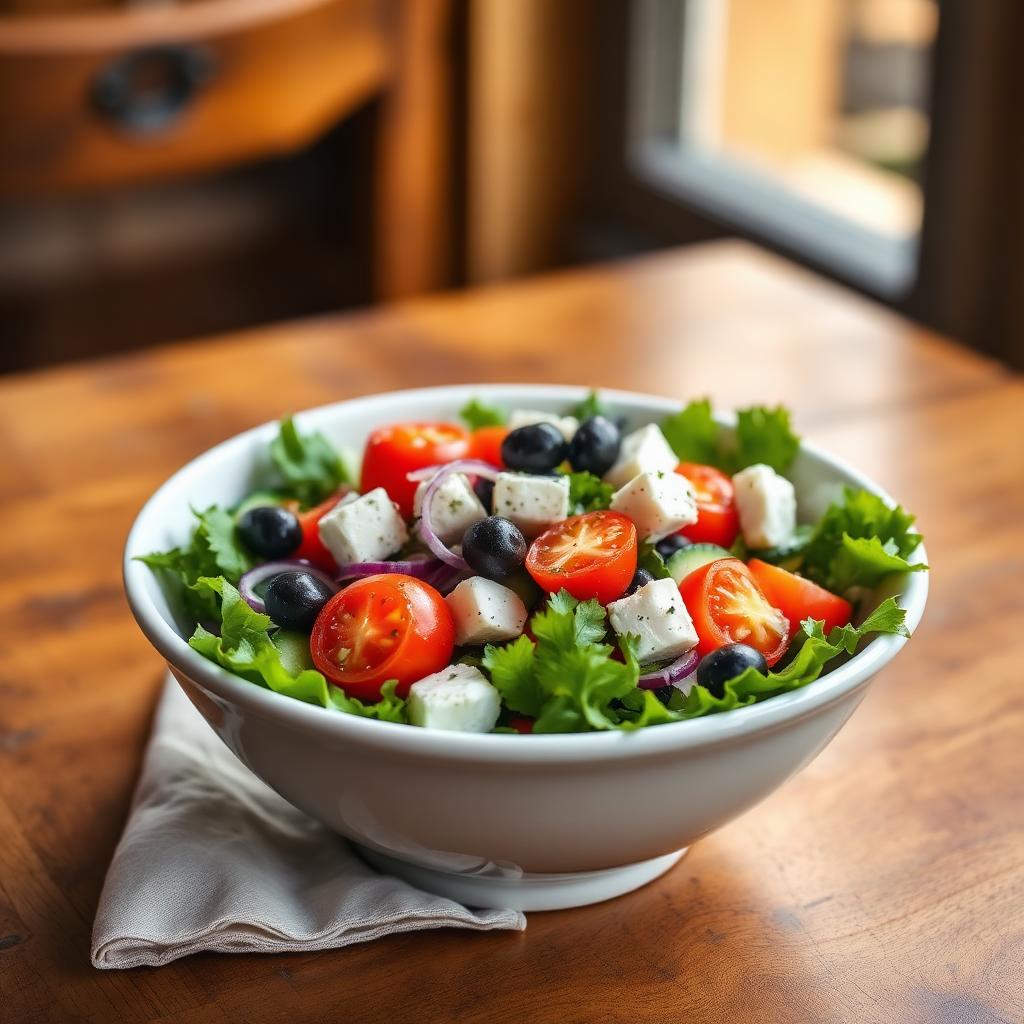
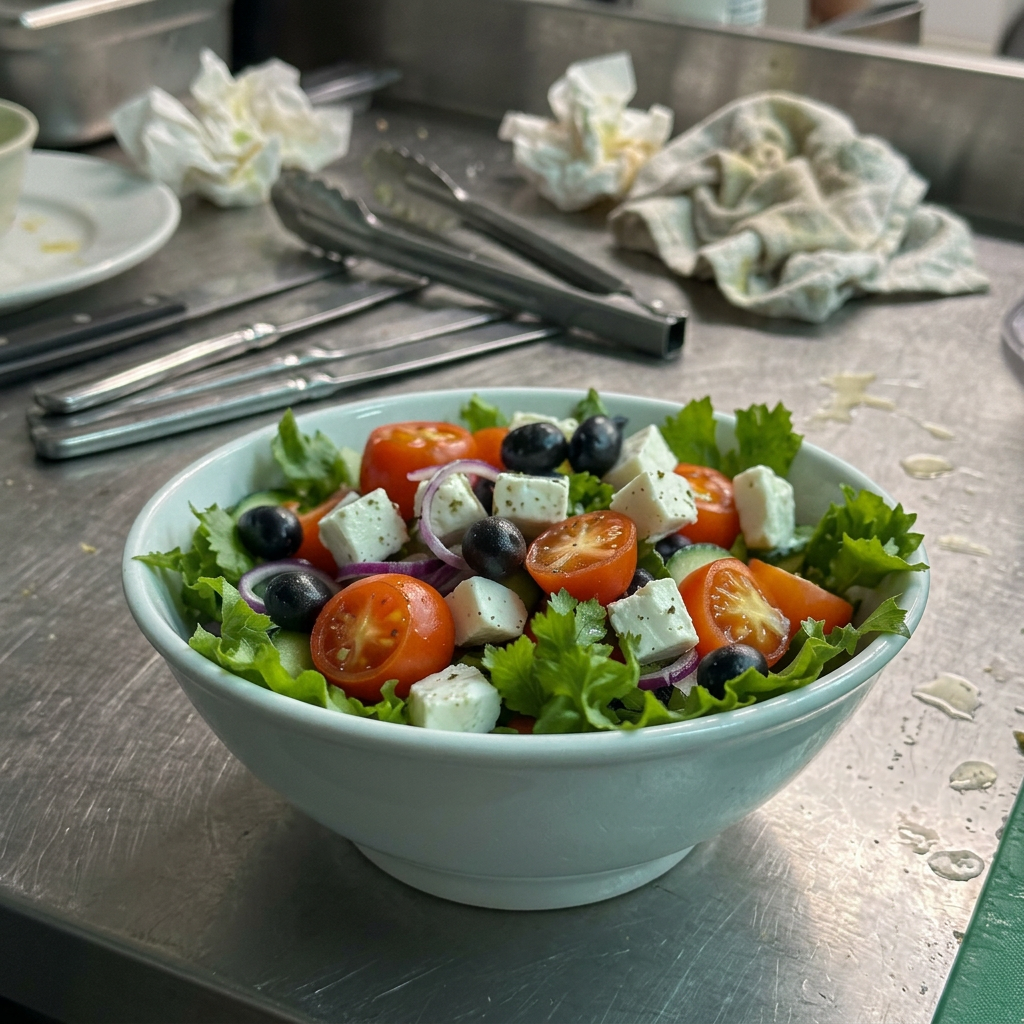 Phone snapshot Polished by Menulta
Table assistant
Let diners chat with your menu
Every live menu includes an AI concierge that answers questions in the diner's language. "What is gluten-free?" "Something light for lunch?" "How spicy is the curry?" It only uses what you have written about each dish.
- Answers in 30 languages
- Checks allergens and dietary preferences
- Links straight to the dish card
- Controlled by your house notes
Why it pays off
What changes on the floor, from tonight
30 languages, one menu
The dish's real name never changes. Only the words around it.
Photos graded to your room
Your logo, table, plates and light become the reference for every dish photo.
Diners can chat with the menu
A built-in table assistant answers questions, suggests dishes and checks allergens in every supported language.
AI-polished, never AI-invented
Only light, white balance, background and crop are touched. Never the food.
No app for diners
One QR on the table. It opens instantly in the browser they already have.
Live on Menulta
Three QR menus you can open right now
Same platform, three different rooms. Open one on your phone and it switches to your language on its own.


Guides
Everything we know about QR menus, allergens and dish photos
Written for restaurant owners in Malta. No sign-up needed to read any of it.
Getting started with QR menus
- BlogEvery article on allergens, EU 1169/2011 and QR menus.
- QR code menu guidesEverything an owner asks before putting a QR code on the table..
- QR code menus for restaurantsWhat a QR menu is, what it replaces and what it costs to run.
- How to create a QR code menuA six-step walkthrough from printed card to printed QR on the table.
- Digital menus for restaurantsHow a digital menu changes ordering, updates and sold-out dishes.
- Paper menu to digitalMoving an existing printed menu online without retyping a dish.
- Multilingual menus for touristsOne menu that opens in each diner's own phone language.
QR menus by location in Malta
Allergens & EU 1169/2011
- Food allergen guides for restaurantsWhat each allergen is, where it hides in a restaurant kitchen, and how to declare it so a guest can choose safely before they order.
- EU Regulation 1169/2011, explained for restaurantsThe EU food information regulation, one provision at a time, with what each one means for a restaurant serving non-prepacked food..
- The 14 allergensEvery declarable allergen under EU Regulation 1169/2011.
- 14 allergens in Maltese & EnglishBilingual allergen wording you can put straight on a menu.
- EU 1169/2011 explainedWhat the regulation actually requires of a Maltese restaurant.
- Allergen compliance checklistA pass-or-fail list to run before an inspection.
- Allergen menus in MaltaHow to present allergens per dish without a second printed card.
Service, staffing and translation
Questions
What owners ask us first
- Do I have to type my menu in?
- No. You photograph the printed menu and we transcribe every section, dish and price. You only confirm what we read.
- Will the AI change my food?
- Never. Enhancement is limited to lighting, white balance, background and crop. The original photo is always kept.
- How long does setup take?
- Most restaurants are live the same afternoon: menus photographed, dishes shot one by one, QR printed.
- What about allergens?
- Every dish carries the 14 allergens from EU Regulation 1169/2011, translated with the rest of the menu.
- Do diners need to install anything?
- No app, no login. The QR opens a web menu that switches to their phone's language on its own.
Put your menu in every tourist's language tonight
Bring your printed menus and a phone. That is the whole setup.